The average knowledge worker spends 28% of their workday managing emails alone. Add in meetings, context switching, and routine administrative tasks, and you’re left with less than half your day for deep, meaningful work. What if you could reclaim all that lost time and mental energy?
The answer lies in AI-powered productivity—not just working harder, but working smarter by letting artificial intelligence handle the energy-draining minutiae so you can focus on what truly matters.
Understanding the Energy Crisis in Modern Work
Before we talk about solutions, let’s understand the problem. Your brain isn’t a limitless resource. It operates on mental energy—a finite pool that depletes throughout the day due to:
- Decision Fatigue: Research from the American Psychological Association shows that every decision, no matter how small, uses glucose and mental resources
- Context Switching: Jumping between tasks costs your brain up to 23 minutes to fully re-focus
- Information Overload: The average person receives 121 emails daily, along with Slack messages, notifications, and calendar updates
- Administrative Burden: Tasks like scheduling, data entry, and email management consume precious cognitive resources
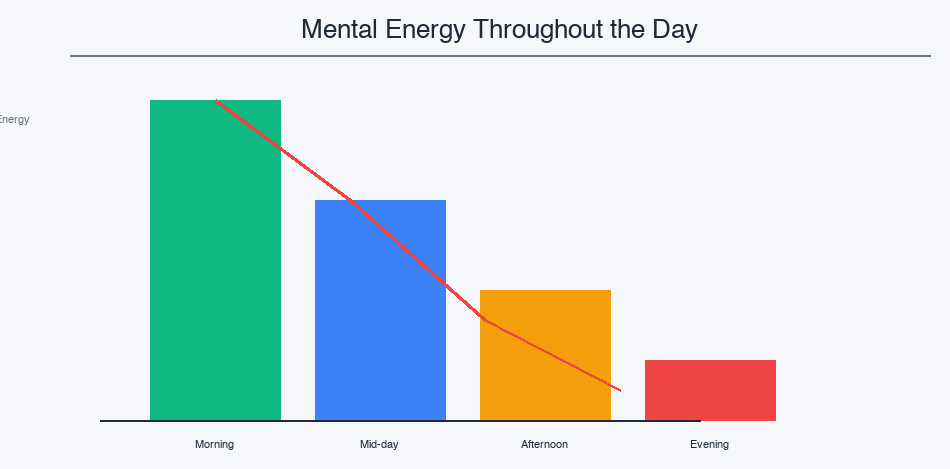
By afternoon, you’re running on fumes. Your decision-making quality drops, your creativity suffers, and productivity plummets. This isn’t weakness—it’s neuroscience.
How AI Changes the Game: Energy Management Through Automation
Here’s where artificial intelligence transforms your work life. Unlike hiring an assistant or outsourcing (which costs money and time), AI can instantly:
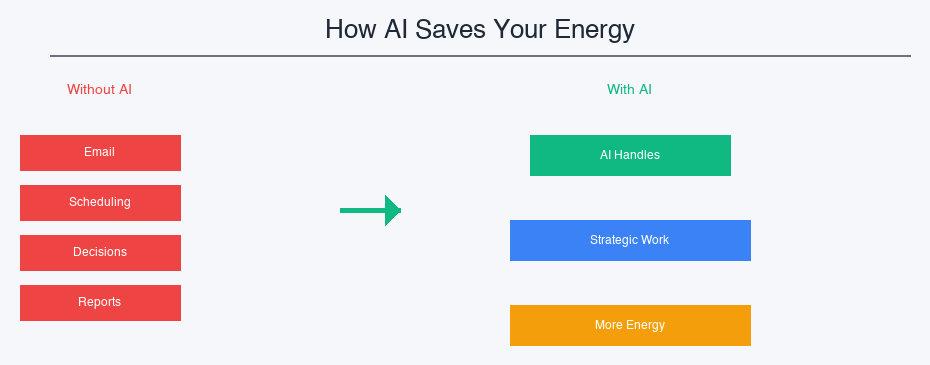
5 Proven Ways AI Saves Your Mental Energy
1. Automating Routine Decisions (The #1 Energy Drain)
AI can intelligently handle:
- Email Management: AI filters, categorizes, and even suggests responses. Tools like Gmail’s Smart Reply handle basic emails in seconds
- Meeting Scheduling: Calendly, with AI assistance, finds the perfect meeting time without the back-and-forth
- Task Prioritization: AI analyzes your patterns and recommends what to tackle first based on deadlines, importance, and your energy levels
- Document Organization: Automatically sort, tag, and retrieve documents without manual filing
Energy Saved: 3-4 hours per week on administrative decisions alone.
2. Intelligent Context Preservation (Eliminating Reorientation Costs)
AI systems remember context you’d otherwise have to reload:
- Project summaries and current status updated automatically
- Meeting notes with key decisions and action items highlighted
- Client history and communication threads at your fingertips
- Code repositories with AI-generated summaries of recent changes
Why This Matters: You save the 23-minute cognitive restart cost every time you switch contexts. Over a day with 10+ context switches, that’s nearly 4 hours gained back.
3. AI-Powered Content Creation (Your Personal Brainstorming Partner)
From blogs to reports, AI handles the heavy lifting:
- Generate first drafts and outlines in minutes instead of hours
- Refine and personalize content while you focus on high-level thinking
- Maintain consistency across documents and communications
- Instantly adapt tone for different audiences (clients, team, executives)
Real Impact: A 5,000-word report that takes 6 hours manually? AI creates a solid draft in 20 minutes. You spend 90 minutes refining, and it’s ready. You save 4+ hours of mental effort.
4. Predictive Planning (Preventing Information Overload)
AI learns your patterns and gets ahead of problems:
- Alerts you before deadlines become critical
- Suggests preparation for upcoming meetings based on attendees and history
- Flags important emails from key contacts that might get lost
- Predicts project bottlenecks before they occur
5. Smart Meeting Management (Reclaiming Hours Per Week)
AI transforms one of your biggest time drains:
- Generates meeting agendas from shared documents
- Transcribes and summarizes meetings with action items
- Identifies unnecessary meetings before they’re scheduled
- Creates follow-up notes so you don’t have to
Conservative Estimate: 2-3 hours per week in meeting time saved.
The Multiplication Effect: More Energy Means Better Everything
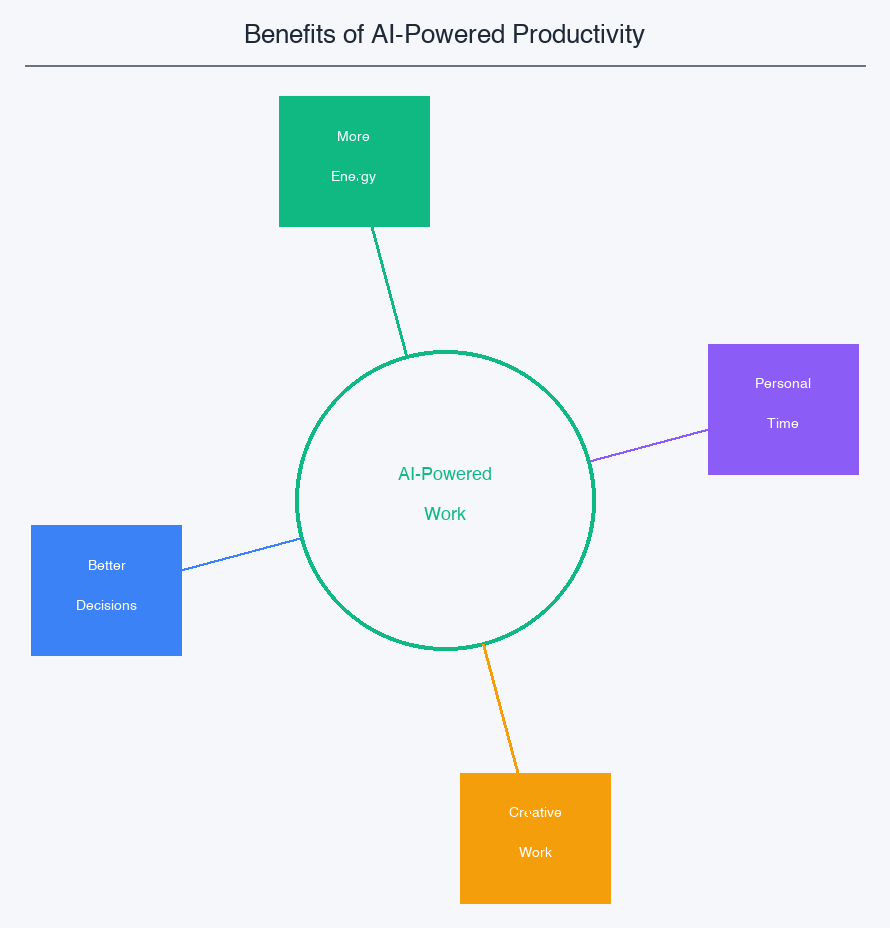
Here’s what happens when you stop wasting energy on routine tasks:
- 🎯 Strategic Thinking: You can finally focus on the high-impact work that moves the needle—planning, innovation, problem-solving
- 💡 Creativity: Your brain has energy left for original thinking and creative solutions
- 📊 Better Decisions: With mental energy preserved, you make clearer, more thoughtful decisions
- ⚡ Consistent Performance: You maintain productivity throughout the day instead of crashing by 3 PM
- 😌 Reduced Stress: Less overwhelm, less decision fatigue, less burnout
- ⏰ Personal Time: Reclaimed hours mean more time for family, hobbies, and rest—essential for sustainable success
How to Implement AI Automation: A Practical Framework
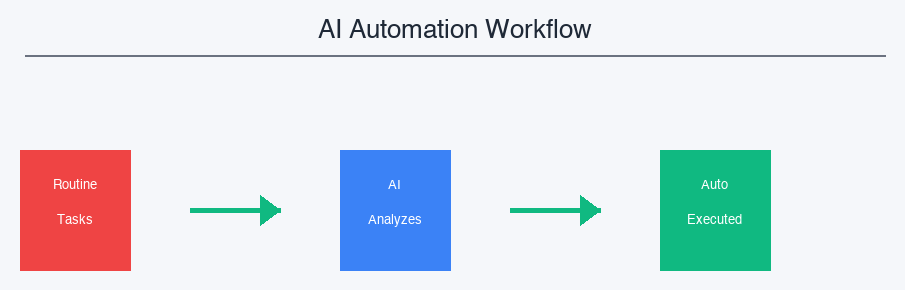
Step 1: Identify Your Energy Drains (Start with the Biggest One)
Track your work for one week. What repeatedly consumes time and mental energy? Common culprits:
- Email management and triaging
- Calendar coordination and scheduling
- Note-taking and documentation
- Data entry and formatting
- Report generation
Step 2: Find the Right AI Tool for That Task
Don’t try to implement everything at once. Pick ONE energy drain and solve it:
- Email: Gmail Smart Reply, Superhuman, Remail
- Scheduling: Calendly, Motion, Timely
- Writing: ChatGPT, Claude, Jasper
- Meeting Notes: Otter.ai, Fireflies, Grain
- Task Management: Notion AI, Microsoft Copilot, Motion
Step 3: Set It Up and Measure Impact
After two weeks with your new AI tool:
- How many hours did you reclaim?
- How did your energy levels feel by end of day?
- What was the quality of your high-impact work?
- Did you notice less stress or decision fatigue?
Step 4: Expand Gradually
Once you’re comfortable with the first tool, add another. The goal is systematic energy conservation, not overwhelming yourself with too many new tools at once.
Real-World Impact: What’s Possible
Consider a typical knowledge worker’s week with AI assistance:
| Task | Time Saved/Week |
|---|---|
| Email management with AI filtering | 3-4 hours |
| Meeting scheduling & coordination | 2 hours |
| Meeting transcription & notes | 3-4 hours |
| Document creation (drafts) | 4-5 hours |
| Research & information gathering | 3 hours |
| TOTAL | 15-20 hours |
That’s 2-4 hours every single day you could reclaim for meaningful work, learning, or rest.
Addressing the Concerns: Is AI Replacing Me? Will I Lose Skills?
Legitimate questions. Here’s the honest answer:
No, AI isn’t replacing you—it’s freeing you. A surgeon doesn’t worry that autocorrect will replace them. A pilot doesn’t fear autopilot. These tools handle the routine so professionals can focus on expertise, judgment, and creativity.
Will you lose skills? No—you’ll upgrade them. You won’t lose writing skills; you’ll gain the ability to write more strategically. You won’t lose organizational skills; you’ll organize at a higher level.
The real risk? Not adopting AI while your competitors do. In 2025, AI fluency is a core professional skill. The question isn’t whether to use it, but how to use it best.
The Future of Productivity: Smarter, Not Harder
The most productive people in the future won’t be those working the longest hours. They’ll be those who:
- Understand their mental energy as a finite resource
- Use AI strategically to protect that resource
- Redirect reclaimed time toward high-impact work
- Maintain sustainable productivity without burnout
This is the productivity revolution of our time. It’s not about hustle culture or working harder. It’s about working smarter, with intention, and with your well-being in mind.
Your Next Step
Start today. Not next week. Pick one energy drain from the list above. Spend 30 minutes researching an AI tool to solve it. Try it for two weeks. Measure the impact.
The path to sustainable, high-performance productivity isn’t through more effort—it’s through smarter choices.
Which task will you automate first? What if you could reclaim 10+ hours per week and feel more energized while you do it?
💡 Pro Tip: Start with your biggest energy drain, but make sure the AI tool is easy to implement. If it takes more than 2 hours to set up, it’s friction you don’t need. The best tool is the one you’ll actually use.
7f777gameapk Got that app vibe thing going on. If you like play on your phone then you need this, get you game on direct to your phone: 7f777gameapk
Trying out one21game. It’s something new, so wanted to explore what the platform has to offer in the gaming space.
Looking good so far on kk99gamedownload. Pretty fast downloads. Will likely download a few more to test out.
If you’re looking for a thrilling adventure with a unique twist, this game is a must-play! the upside down offers a mind-bending experience that will keep you hooked with its challenging puzzles and immersive atmosphere. Prepare to get lost in its captivating world!
Üsküdar Garantili Su Kaçağı Tespiti Gece sularımızı kestik ama su saati dönmeye devam ediyordu. Kaçağı bulmaları 20 dakika sürdü. Süper ekip! https://clubedenapp.com//read-blog/108